EPFO UAN Activate + PF Passbook Download 2026 - UMANG Face Auth Mandatory @epfindia.gov.in
⚡ 30-SECOND SUMMARY
Guide Overview
Required Documents:
📄 Complete Guide▾
EPFO UAN Activate + PF Passbook Download 2026 Complete Guide
EPFO UAN Latest Update (11 May 2026)
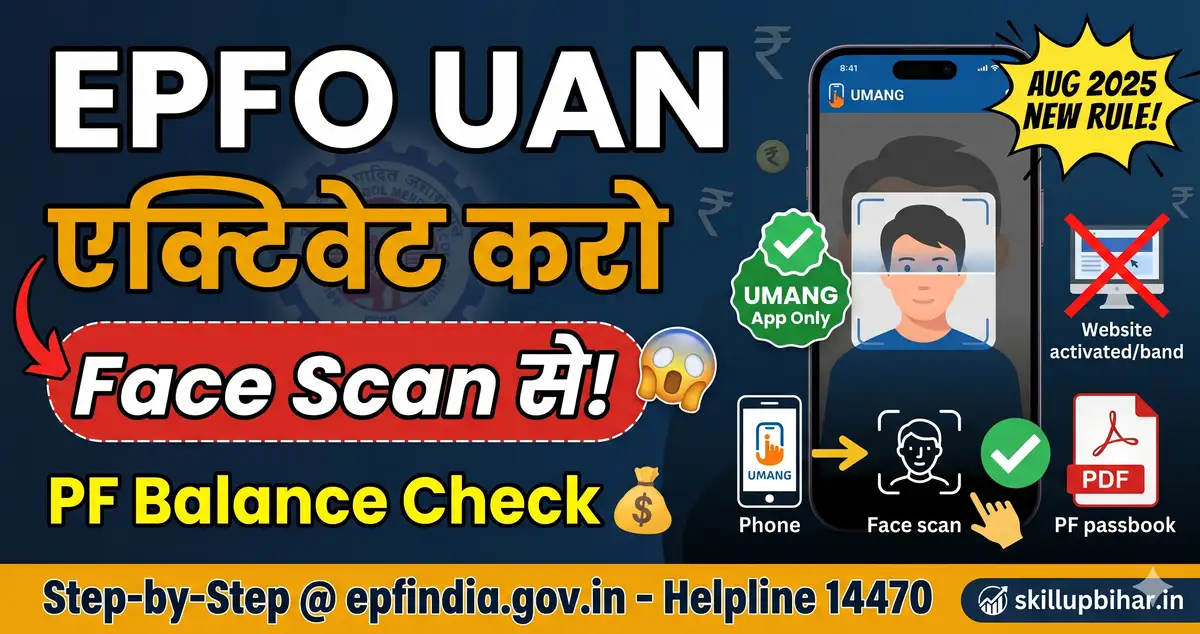
Bhaiyon, EPFO UAN (Universal Account Number) = har salaried employee ka 12-digit lifetime PF account number. PF balance check, passbook download, claim withdrawal, e-KYC - sab UAN se hota hai. CRITICAL UPDATE: 1 August 2025 se EPFO ne website-based UAN activation BAND kar di - ab sirf UMANG App + Aadhaar Face Authentication (Face Scan) se hi UAN activate ho sakta hai (fraud rokne ke liye). Activated UAN se unifiedportal-mem.epfindia.gov.in pe login → PF balance, passbook PDF, claim status, e-KYC update. EPFO Portal 3.0 (2026 redesigned) me sab services unified. Page me: UMANG Face Auth se UAN activate, passbook 3 ways download, e-KYC update, common errors. Helpline 14470 EPFO ka toll-free hai.
🚨 Quick Answer: UMANG App + Face Scan = UAN activate 5 min. Phir passbook.epfindia.gov.in login → PF balance + passbook PDF.
Quick Info Table
| Detail | Information |
|---|---|
| UAN Format | 12-digit number (lifetime) |
| Main Portal | unifiedportal-mem.epfindia.gov.in |
| Passbook Portal | passbook.epfindia.gov.in |
| Activation Method | UMANG App + Face Auth (Aug 2025 mandatory) |
| Fee | FREE (zero charges) |
| e-KYC | Aadhaar + PAN + Bank link |
| Helpline | 14470 (toll-free) |
| EPFO Portal Version | 3.0 (redesigned 2026) |
| Required | UAN, Aadhaar-linked mobile, UMANG app |
UAN Kahan Se Milta Hai?
- Salary slip pe printed (top right ya bottom)
- HR Department se request karo
- EPFO Portal - "Know Your UAN" option (Aadhaar/PAN se search)
- SMS:
EPFOHO UANto 7738299899 - Missed call: 9966044425 se UAN + balance dono milte hain
UAN Activate Process - UMANG Face Auth (Mandatory Aug 2025)
CRITICAL: Website-based activation 1 Aug 2025 se band hai. Sirf UMANG app + Aadhaar Face Scan se activate hoga.
Step 1: UMANG App Install
Google Play / App Store se "UMANG" app download karo (official by Govt of India).
Step 2: Aadhaar Face RD App Install
Aadhaar Face RD app bhi install karo (Face Authentication ke liye required).
Step 3: UMANG Login
UMANG app open → Mobile + MPIN/OTP se login.
Step 4: EPFO Service
Search bar me "EPFO" type karo → "EPFO Services" open karo.
Step 5: UAN Activation
"UAN Services Through Face Auth" → "UAN Activation" option select karo.
Step 6: Details Enter
- 12-digit UAN enter karo
- Aadhaar number verify
- Mobile number Aadhaar-linked
Step 7: Face Scan
Camera permission allow → face scan karo Aadhaar Face RD app me → biometric match hoga UIDAI database se.
Step 8: Success
"UAN Activated" message → password set kar do → activation complete.
PF Passbook Download - 3 Methods
Method 1: EPFO Passbook Portal (Direct)
| Step | Detail |
|---|---|
| 1 | passbook.epfindia.gov.in open karo |
| 2 | UAN + Password + Captcha se login |
| 3 | Member ID select karo (current employer) |
| 4 | "View Passbook" click karo |
| 5 | "Download as PDF" option dabao |
Method 2: UMANG App
UMANG → EPFO Services → "View Passbook" → UAN + OTP → passbook display + PDF download.
Method 3: SMS / Missed Call
- SMS:
EPFOHO UAN ENGto 7738299899 (balance reply) - Missed call: 9966044425 (instant SMS)
EPFO Portal 3.0 - Services Available
| Service | What |
|---|---|
| PF Balance Check | Real-time current balance |
| Passbook PDF Download | Year-wise contributions |
| Online Claim | Form 19 (full withdrawal), 31 (advance), 10C (pension) |
| e-KYC Update | Aadhaar + PAN + Bank link |
| Transfer Claim | Old employer → new employer |
| Track Claim Status | Real-time progress |
| Update Profile | Name, DOB, contact correction |
| UAN Card Download | Plastic UAN card PDF |
e-KYC Aadhaar Link Process
Step-by-Step
- UAN portal login → "Manage" → "KYC"
- Aadhaar select → 12-digit Aadhaar number + name
- "Save" dabao → request pending hoga
- Employer DSC approval lagta hai (1-3 days)
- Approval ke baad "Verified by UIDAI" badge
Note: Aadhaar mismatch (naam ya DOB) hua toh first Aadhaar update karo, fir EPFO me link.
Common Errors + Solutions
| Error | Reason | Solution |
|---|---|---|
| "UAN not activated" | First activation pending | UMANG Face Auth se activate (Aug 2025 rule) |
| "Face Scan failed" | Lighting/Aadhaar mobile inactive | Better lighting + Aadhaar Seva Kendra mobile update |
| "Passbook not available" | Member ID not approved by employer | Employer HR se PF deduction submission confirm karo |
| "OTP not received" | Mobile Aadhaar-link issue | UIDAI me mobile update first |
| "KYC pending" | Employer DSC not done | HR se DSC approval ke liye request karo |
| "Balance Rs 0" | First-month employee | 2-3 months wait - contribution display hoti hai delayed |
PF Claim Withdrawal (Form 19/31)
- Form 19 - Full PF withdrawal (after job end + 2 months gap)
- Form 31 - Advance (medical, marriage, home loan, etc.)
- Form 10C - Pension withdrawal (EPS scheme)
Claim status track: UAN portal → "Track Claim Status" → real-time progress (Approved/Pending/Rejected).
Scam Warning
- "PF withdrawal Rs 500 fee" - FRAUD. Claim FREE hai
- "UAN activate Rs 200 agent" - SCAM. Self-activate UMANG se free
- Fake EPFO calls "balance update" - EPFO never calls/asks OTP - phishing scam
- Phishing SMS PF link - sirf official portal
.gov.indomain trust karo
FAQs - EPFO UAN + Passbook 2026
Q: UAN activate karna fee hai? A: Bilkul FREE. UMANG app + Aadhaar Face Auth (Aug 2025 mandatory) se self-activate karo. Agent paisa maange - scam.
Q: Website se UAN activate kyun nahi ho raha? A: 1 August 2025 se EPFO ne website activation BAND kar di hai fraud rokne ke liye. Sirf UMANG App + Aadhaar Face RD se activate hota hai.
Q: Passbook PDF kaise download karein? A: passbook.epfindia.gov.in → UAN + password → Member ID select → "Download PDF".
Q: PF balance kaise check karein bina internet?
A: Missed call 9966044425 ya SMS EPFOHO UAN to 7738299899 - free + instant.
Q: Old job ka PF kaise transfer karein? A: UAN portal → "Online Services" → "One Member - One EPF Account (Transfer Request)" → old employer details fill → DSC approval.
Q: EPFO helpline kya hai? A: 14470 (toll-free, 9 AM - 5:30 PM) - balance + claim + UAN queries.
Related Guides
-
PM Viksit Bharat Rozgar Yojana - Rs 15,000 kab aayega - pehli naukri par do kist
-
PM Jan Dhan Yojana 2026 - zero balance account aur RuPay insurance
-
EPF Interest 2025-26 (8.25%) Kab Aayega? - Passbook mein byaaj kab credit + calculation
-
EPF Transfer Online (Job Change) - Form 13 - PF transfer + merge accounts
-
PF Claim Status Check 2026 - Paisa Kab Aayega? - Track claim, settlement time, rejected reasons + fix
-
PAN Card Apply + Aadhaar Link - PAN full guide
-
Instant e-PAN Free Download - Aadhaar OTP 10 min FREE PAN PDF
-
Aadhaar Bank NPCI Seeding - DBT activation
-
IRCTC Account + Aadhaar Link - Train booking + Tatkal Aadhaar mandatory
-
PVC Voter ID Smart Card Order - EPIC-001 Rs 25 replacement
-
Driving Licence Renewal Online - Rs 200 fee, Aadhaar OTP
-
SBI YONO Registration + KYC Update 2026 - YONO 2.0 Video KYC se savings account 5 min + KYC Aadhaar OTP
-
Section 87A Rebate Rs 60,000 FY 2025-26 - Tax saving new regime
-
UPSC APFC Recruitment 2026 - EPFO me officer banne ka rasta
Sources: EPFO Official (epfindia.gov.in, unifiedportal-mem.epfindia.gov.in, passbook.epfindia.gov.in), ClearTax, EPFO Portal, Legal Service India - Verified 11 May 2026
🔗 IMPORTANT LINKS
Is Page ka Author
Abhishek - SkillUP Bihar
Govt Services & Documentation Guide
Content Writer. Official govt sources se verified content likhta hai. Bihar sarkari naukri focus. Har page kam-se-kam 2 official sources se cross-verified.
Verified by Md Saiyad Ali - Founder & Content Researcher
Related Guides
Sab dekho →EPFO SSA Salary 2026
CHO Bond - Staff Nurse
RRB Group D CCAA Modification
SHS Lab Technician Radd
Udyami Yojana UC Upload
Bihar Smart PDS 2.0