SBI YONO Registration + KYC Update 2026 - YONO 2.0 Video KYC, Insta Plus Savings @sbi.bank.in
⚡ 30-SECOND SUMMARY
Guide Overview
Required Documents:
📄 Complete Guide▾
SBI YONO Registration + KYC Update 2026 Complete Guide
SBI YONO Latest Update (13 May 2026)
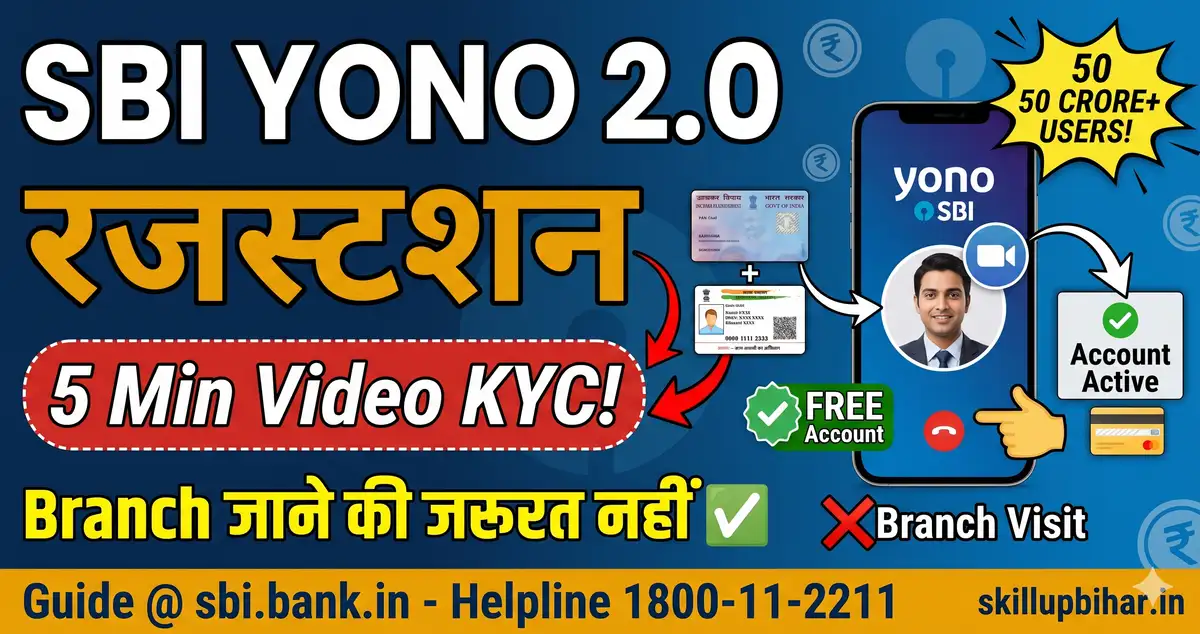
Bhaiyon, SBI YONO 2.0 = State Bank India ka redesigned unified digital banking app - YONO + Internet Banking + YONO Lite ek hi platform pe. 50 crore+ SBI customers use karte hain - mobile/PC se sab banking ghar baithe. Multi-bank integration new 2026 feature - doosre banks ke accounts bhi link kar sakte ho ek hi app me. New customers bina branch jaaye Insta Plus Savings Account open kar sakte hain Video KYC se - 24/7 service, 5 working days me complete. Existing SBI customers 3 ways se YONO register: ATM card se self-register, SMS "MBSREG" to 9223440000, ya branch visit. KYC update existing customers ke liye: YONO → Service Request → Update KYC (Aadhaar OTP authentication). Unified KYC - ek baar YONO pe KYC = SBI ke saare services me valid. SIM binding security - ek device per user, fraud protection. Helpline 1800-11-2211 (toll-free).
🚨 NEW USER: Bina branch jaaye Video KYC se 5 min me savings account. EXISTING USER: ATM ya SMS se YONO register karo + Aadhaar OTP se KYC update.
Quick Info Table
| Detail | Information |
|---|---|
| App | SBI YONO 2.0 (Play Store / App Store) |
| Variants | YONO SBI + YONO Lite + YONO Business |
| Customers | 50+ crore (SBI) |
| New User Account | Insta Plus Savings via Video KYC |
| Existing Register | ATM / SMS / Branch (3 ways) |
| SMS Register | "MBSREG" to 9223440000 / 567676 |
| Branch Visit | Generate Reference Number via app |
| KYC Update | YONO → Service Request → Update KYC |
| Authentication | Aadhaar OTP based |
| Security | SIM binding + device passcode mandatory |
| MPIN | 6-digit numeric login |
| Video KYC Validity | 5 working days |
| Fee | FREE (registration + KYC) |
| Helpline | 1800-11-2211 / 1800-425-3800 |
YONO SBI vs YONO Lite vs YONO Business
| Feature | YONO SBI | YONO Lite | YONO Business |
|---|---|---|---|
| For | All retail | Basic banking | Business/MSME |
| Fund Transfer | YES (full) | YES (NEFT/IMPS) | YES (corporate) |
| YONO Cash | YES | NO | NO |
| Shopping/Travel | YES | NO | NO |
| Mutual Fund | YES | NO | Partial |
| Insurance | YES | NO | YES (group) |
| Multi-Bank Link | YES (2.0) | NO | NO |
| Recommended | Most users | Low-tech users | Business owners |
New User - Insta Plus Account (Video KYC)
Eligibility: Resident Indian 18+, NEW customer (no existing CIF), PAN + Aadhaar, Aadhaar-linked mobile.
Process (24/7):
- YONO SBI app install (Play Store/App Store)
- "Open Account" → PAN + Aadhaar enter → OTP verify
- Personal details fill (DOB, address, nominee)
- Token generate → Video KYC schedule
- SBI agent video call → physical PAN + Aadhaar dikhao
- Account number + IFSC SMS + RuPay Debit Card dispatch
5 working days me complete - missed call? Reschedule from app.
Existing Customer - YONO Register (3 Methods)
Method 1 ATM Card (Recommended): YONO app → "New User" → account + ATM card details → OTP → MPIN set (6-digit) → login.
Method 2 SMS: Send "MBSREG" to 9223440000 / 567676 from registered mobile → Temporary User ID + MPIN via SMS → YONO login → MPIN reset.
Method 3 Branch Visit (No ATM): YONO app → "Register with Account Details" → Reference Number → SBI branch with ref + ID proof → manager activates.
KYC Update - Existing Customers (5 Min)
Method 1: YONO App (Recommended)
- YONO app → Login
- "Service Request" → "Update KYC"
- Aadhaar OTP authentication
- Updated details verify → submit
- Confirmation SMS within 24-48 hours
Method 2: SBI Internet Banking
- onlinesbi.com login
- My Accounts & Profile → "E KYC Through Aadhaar"
- Same Aadhaar OTP process
YONO 2.0 unified KYC - ek baar update = sab SBI services (loan, FD, mutual fund, insurance) me applicable.
YONO Cash - Cardless ATM
Bina ATM card paise nikalo: YONO → "YONO Cash" → amount Rs 500-20,000 → 6-digit code (30 min valid) → SBI ATM "YONO Cash" option → mobile + code → cash dispense. Useful when ATM card lost.
Common Errors + Solutions
| Error | Reason | Solution |
|---|---|---|
| "User already registered" | Existing YONO account | Forgot password use karo |
| "OTP not received" | Mobile-Aadhaar inactive | Aadhaar Seva Kendra mobile update |
| "Device not registered" | New phone install | SIM binding - re-register required |
| "Video KYC failed" | Network/lighting issue | Reschedule + better network |
| "PAN-Aadhaar not linked" | Mandatory link pending | Link PAN-Aadhaar first |
| "CIF found - register fail" | Already SBI customer | Use existing customer flow |
| "MPIN forgot" | Forgot 6-digit | App → Forgot MPIN → Reset via ATM card |
Scam Warning
- "SBI YONO unlock Rs 500 agent" - FRAUD. Free self-service
- "KYC pending - link click karein" SMS - phishing, SBI never sends KYC links
- "YONO password reset" calls - SBI never calls asking OTP/password
- Fake YONO apps Play Store - sirf "YONO SBI" by State Bank install karo
- WhatsApp "fast KYC" scams - sirf YONO/INB official portal trust karo
FAQs
Q: YONO SBI download karna fee hai? A: Bilkul FREE. Play Store / App Store official. Agent paisa maange = scam.
Q: Bina branch jaaye account open ho sakta hai? A: Haan - Insta Plus Savings Video KYC se 24/7. PAN + Aadhaar + Aadhaar-linked mobile chahiye.
Q: KYC update ke liye branch jaana hai? A: Nahi - YONO app me Service Request → Update KYC se Aadhaar OTP authentication se update kar sakte ho.
Q: YONO 2.0 me kya naya hai? A: Multi-bank account linking (doosre banks bhi), unified KYC (ek baar = sab services), simplified UI, mobile + internet banking merged.
Q: YONO Cash kaise use karein? A: App → YONO Cash → amount enter → 6-digit code (30 min valid) → SBI ATM pe code se cash withdrawal. No ATM card needed.
Q: SIM badal ne pe re-register karna hoga? A: Haan - SIM binding fraud protection ke liye. New SIM/phone pe fresh registration zaroori.
Related Guides
-
Bank Ki Website Ka Pata Badal Gaya - sbi.bank.in aur pnb.bank.in fake nahi hain
-
PM Jan Dhan Yojana 2026 - zero balance account + Rs 10,000 overdraft ka sach
-
Aadhaar Bank NPCI Seeding - SBI account me Aadhaar seeding (DBT mandatory)
-
EPFO UAN + Passbook Download - Salaried EPF balance
-
PAN Card Apply + Aadhaar Link - PAN-Aadhaar link required
-
Instant e-PAN Free Download - PAN PDF instant
-
FASTag KYC Update + Recharge - Vehicle owners NHAI KYC
-
Aadhaar PVC Card Order Rs 50 - KYC ke liye Aadhaar update
-
Bank CSP / Bank Mitra Kaise Le 2026 - Mini-bank/banking correspondent kaise bane + fee scam warning
Sources: SBI Official (sbi.bank.in/yono, sbi.bank.in/customer-care), Angel One, ClearTax, SBI Twitter Official - Verified 13 May 2026
🔗 IMPORTANT LINKS
Is Page ka Author
Abhishek - SkillUP Bihar
Govt Services & Documentation Guide
Content Writer. Official govt sources se verified content likhta hai. Bihar sarkari naukri focus. Har page kam-se-kam 2 official sources se cross-verified.
Verified by Md Saiyad Ali - Founder & Content Researcher
Related Guides
Sab dekho →SBI PO Mains 2026
SBI Clerk 2026 Apply
SBI Clerk Salary 2026
SBI PO Salary 2026
CHO Bond - Staff Nurse
RRB Group D CCAA Modification
State Bank of India Jobs
Bihar GNM Vacancy 2026 - Government Nursing Recruitment Apply Online
State Health Society Bihar (SHSB) / BTSC / Health Dept
Bihar Assistant Professor Recruitment 2026 - BSUSC 9,152 Posts, Apply Online
BSUSC (Bihar State University Service Commission)
Bihar ANM Aur Staff Nurse Bharti 2026 - Abhi Koi Form Khula Nahi Hai, Aur Humne BTSC-SHSB Dono Ki List Khud Kholkar Dekhi
BTSC (niyamit) evam State Health Society Bihar (samvida)
State Bank of India Results
SBI PO Mains Result 2026 Aa Gaya (14 October) - 4,367 Roll Number Phase-III (Psychometric Test) Ke Liye Shortlist; PDF Me Apna Roll Number Dekhein
State Bank of India (SBI)
Beltron DEO 4,808 Merit List 2026 Aa Gayi - CBT 2024 Ke Bache Qualified Abhyarthiyon Ki Category-Wise Suchi; Document Verification Ke Adheen
Bihar State Electronics Development Corporation Ltd. (BSEDC / Beltron)
Bihar CHO Waiting List 2026 - 43 Naye Naam, Joining 26 September Tak; 43 Ki Ummeedwari Radd, Rs 2.4 Lakh Ka Bond
State Health Society (SHSB), Bihar - National Health Mission